CPU & Performance
Live CPU usage, load averages, and per-core utilization.
PulseBar is a small native macOS system monitor that keeps CPU, memory, network, disk, battery, and thermal status right in the menu bar.
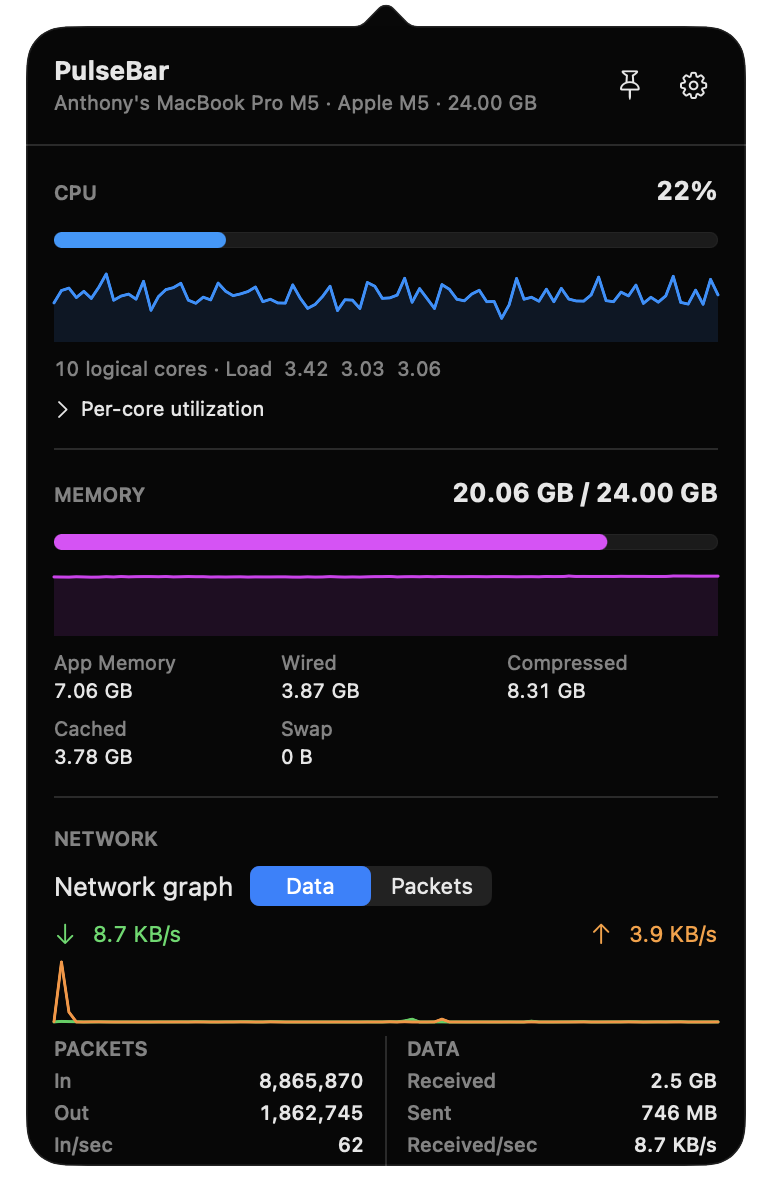

PulseBar focuses on the system metrics you actually check while staying out of your way.
Live CPU usage, load averages, and per-core utilization.
Activity Monitor-style memory accounting with live updates.
Upload/download speed, packet rates, and session totals.
Disk read/write activity plus storage usage at a glance.
Battery level and the macOS thermal state from public system APIs.
Choose up to five menu-bar stats, reorder them, and tune refresh behavior.
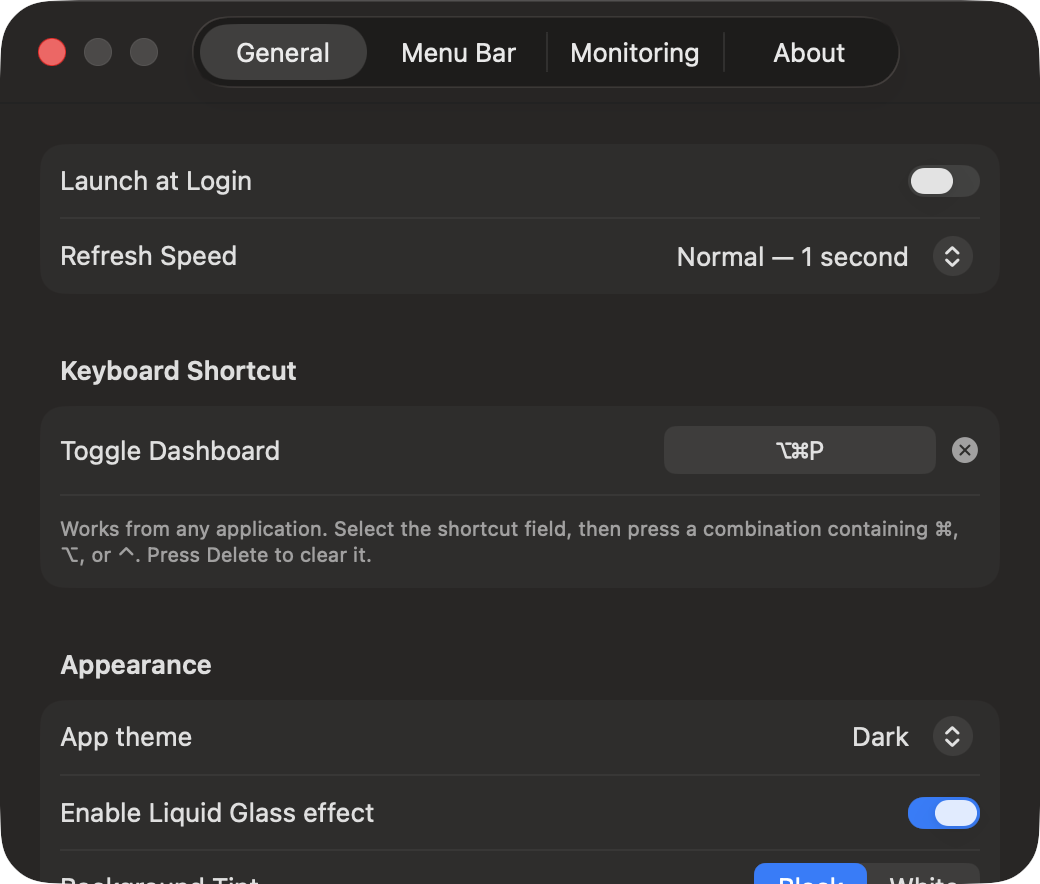
Reorder statistics, choose which monitors run, change refresh speed, keep values at fixed positions, and customize the dashboard shortcut.
The installer verifies the release checksum and code signature, copies PulseBar to /Applications, and opens it.
curl -fsSL https://raw.githubusercontent.com/markylaredo/pulsebar/master/install.sh | bash
A GitHub star helps other Mac users discover PulseBar. Bug reports and focused improvements are welcome too.